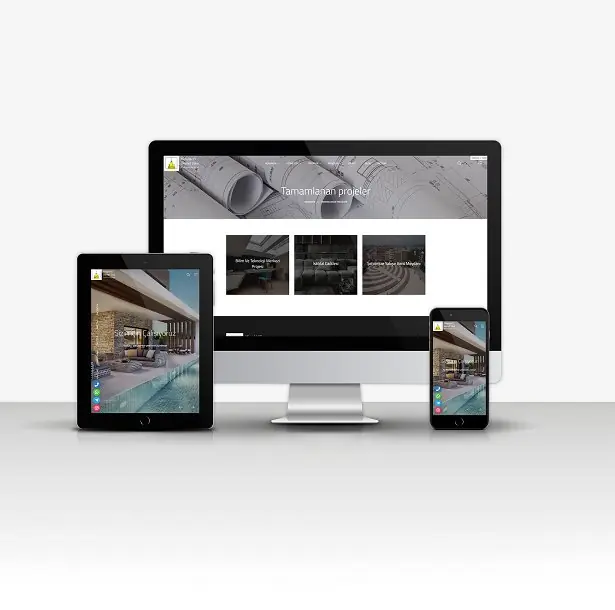

Company V6

Profesyonel Script Çözümü

Company V6
Company V6

Açıklama

Professional Company V6 Script

Installation Instructions

SETUP;

  1. Upload your files to your FTP server.
  2. Create a new database from your hosting panel.
  3. Import the 'scriptadi.sql' file found in the installation files into the database you created.
  4. You can activate your website by entering your database information in the system/baglan.php file.

IMPORTANT;

  • Our software requires a minimum PHP version of 7.2.
  • Your server must have the latest IONCUBE installed.
  • Contact forms will not work if you do not enter your SMTP information.

ADMIN LOGIN INFORMATION  (Standard);

  • Admin Panel: www.siteadi.com/panel
  • Email: user
  • Password: 1234

Özellikler

High Resolution:
Yes
Compatible Browsers:
Firefox, Chrome, Safari, Opera, Edge
Files Included:
HTML Files, JavaScript, PHP, SQL
Frameworks:
Cake PHP

Etiketler

Corporate Company Packages Corporate Company Corporate Packages Company Packages Corporate

Teknik Detaylar

Script ID: 1125
Kategori: Code
Alt Kategori: PHP Scripts
Durum: Aktif
Demo Link: Demo'yu İncele
Son Güncelleme: 18.03.2026

Company V6 Hakkında Sık Sorulan Sorular

  • Bu script'i özelleştirebilir miyim?

    Evet, tüm scriptlerimiz HTML, CSS ve PHP kodlarına tam erişim sağlayarak tamamen özelleştirilebilir.

  • Script'i kendim kurabilir miyim?

    Evet, scriptlerimiz kolay kurulum talimatları ile birlikte gelir. Ayrıca ücretsiz kurulum desteği de sunuyoruz.

  • Domain ve hosting gerekiyor mu?

    Evet, script'in çalışması için domain ve hosting gereklidir. Gerekirse hosting paketlerimizden birini önerebiliriz.

  • Teknik destek sağlıyor musunuz?

    Evet, tüm script satın alımlarında 6 ay ücretsiz teknik destek sağlıyoruz.

  • Güncellemeler ücretsiz mi?

    Evet, script'in yeni versiyonları ücretsiz olarak sağlanmaktadır.